




















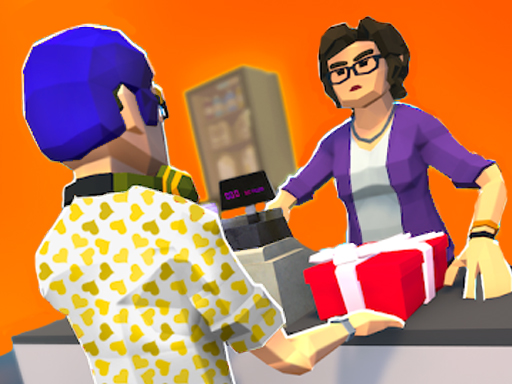

Cashier 3D
Cashier 3D focuses on graphics and scanning, where the main mechanic involves dragging items for processing. i find that managing the station requires a lot of focus, and the objective is to handle products, payments, and refunds.
How To Play Cashier 3D
Clicking and dragging items to the scanner is how you start playing, you must process payments and handle refunds quickly.
Controls and Features
Controls involve drag mechanics to scan items and process payments, with buttons for handling refunds stated as a feature.
Tips
Quick scanning is the best strategy, you must drag items to the scanner and then process payments. The main mechanic is to handle refunds and manage your station.
Cashier 3D FAQs.
Q: What are the controls? A: Drag items to the scanner and use buttons for refunds.
Q: What is the objective? A: Ensure customers leave satisfied by processing items.
Q: Are there stated features? A: Buttons for handling refunds are stated.
Q: What is the main mechanic? A: Dragging items to the scanner for processing.
About this game
- Supported devices
- Desktop
- Genre
- Arcade Games
- Release date
- 25 October 2024
- Latest update
- 25 October 2024
- Rating
- No ratings yet

City Takeover
Wobble Fall 3D
Trading Master 3D - Fidget Pop
Dogecoin Yolo 3D
Pocket Sniper

2048 Run 3D

2048 ABC Runner
Among Us Hide #039;N Seek 2

Blob Giant Rush

Queen Bee

Roblox: Multiverse Spider
Arrow Fest
Car Crusher

Slice It All!

Craft Island 3D Game

Crowd Run
Plug Head 3D
Catch And Shoot
Boomerang Snipe 3D

Fail Run

Fun Escape 3D

Squid Craft Online
Drifty Race Online

WaterPark Slide.io


