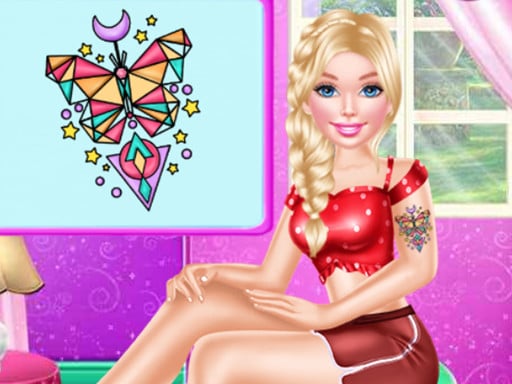

Doll Funny Tattoo Shop
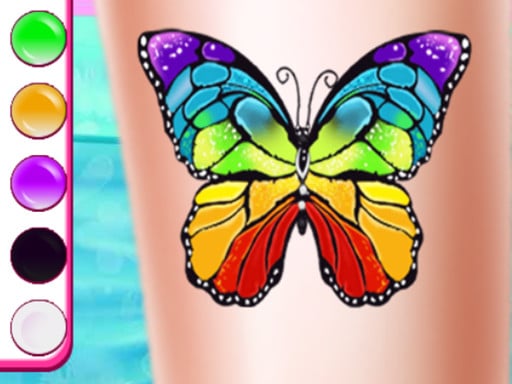
Doll Funny Tattoo Shop gives an objective to drag tattoos onto a client. i found the mouse controls feel smooth when placing designs on skin.
How To Play Doll Funny Tattoo Shop
Click and drag with your mouse to apply tattoos, select designs and place them on the client.
Controls and Features
Controls include the mouse to navigate selection and drag designs. Stated features are color changes and placement adjustments.
Tips
Watch the client style first, then pick a matching tattoo. Use the mouse to drag and drop carefully to place designs.
Doll Funny Tattoo Shop FAQs.
Q: What are the controls? A: Use the mouse to select and drag tattoos.
Q: What is the objective? A: Drag tattoos onto the client skin.
Q: What stated features exist? A: Color changes and placement adjustments.
Q: What is the main mechanic? A: Drag and drop tattoos using the mouse.
About this game
- Supported devices
- Desktop
- Genre
- Action Games
- Release date
- 25 October 2024
- Latest update
- 25 October 2024
- Rating
- No ratings yet
Shoe Designer Fashion GAme

Avatoon Avatar Maker
Talent Girl Art Classes
Pretty Little Princess Salon
Princess Doll Dress Up

Barbie Motorbiker
Princess Sailor Moon Casual Outfit

Princess Makeup Salon
Fun Colors coloring book for kids
Princess Tailor Shop
Princess Punk Fashion
Super Girl Salon
Princess Pastel Fashion

Flower Girl Wedding Day

Unicorn Food Fashion Maker

Kung Fu Panda Tigress

Long Hair Princess Rescue Prince
Princess Social Media Fashion Trend

Coloring Book For Kids Game

Fashion Studio Snow Queen Dress 2

Princess Crazy Weekend 2
Fashion Girl Spa Day
Princess Glitter Coloring - For Kids

Babysitter Dress up