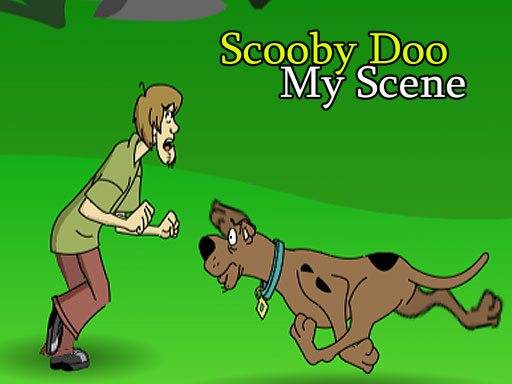

Scooby Doo My Scene
Scooby Doo My Scene lets you build custom cartoon stories by placing animations into a scene. I use the menu to pick animations, then drop them into the scene.
How To Play Scooby Doo My Scene
Use the drag and drop interface to place animations into your scene, selecting Scooby and Shaggy from the menu.
Controls and Features
Drag and drop gameplay is the core mechanic. The interface allows selecting Scooby and Shaggy animations.
Tips
Mix animations for better results. Experiment with different backgrounds and character actions using the drag and drop system.
Scooby Doo My Scene FAQs.
Q: What are the controls? A: Drag and drop interface to place animations.
Q: What is the objective? A: Build custom cartoon scenes by placing animations.
Q: What is the main mechanic? A: Drag and drop gameplay.
About this game
- Supported devices
- Desktop
- Genre
- Racing Games
- Release date
- 26 September 2024
- Latest update
- 26 September 2024
- Rating
- No ratings yet

Lion King Simba Dressup
Cute Pet Friends
Save The Bear
Storage Master
Masha And The Bear In Peace

Naruto Dress up
Develobears - We Bare Bears

Color By Number With Hello Kitty
My Baby Unicorn Virtual Pony Pet

Muppet Babies: Animal Silly Seasons
Popeye Dress up
DIY Locker

Teen Titans Dressup

Rodeo Stampede - Sky Zoo

Momo Pop

Crazy Lemmings 2
Bread Pit
Cleaning House
Pick-a-Path The Loud House
Tailor Kids
Paw Patrol Jigsaw Game

Baby Snack Factory

Bratz Dress up
Protect Draw It