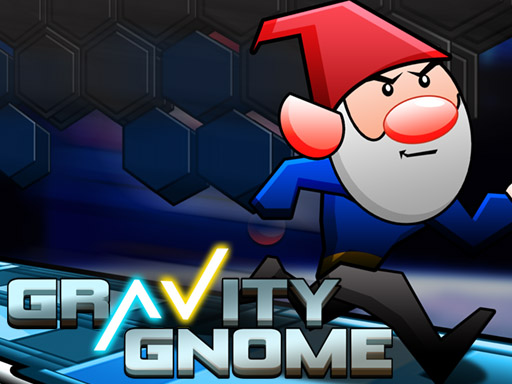

Gravity Gnome
Gravity Gnome requires navigating landscapes using arrow keys and toggling gravity with the spacebar. I found that the objective is to collect coins and power-ups while avoiding obstacles.
How To Play Gravity Gnome
Use arrow keys to move, and press spacebar to toggle gravity, allowing you to navigate landscapes and collect items.
Controls and Features
Controls are arrow keys and spacebar. The main mechanic is toggling gravity. Progress is saved, allowing you to resume from where you left off.
Tips
Use the spacebar to toggle gravity to find hidden paths. It is better than blindly jumping when you collect power-ups to enhance your abilities.
Gravity Gnome FAQs.
Q: What controls the gnome? A: Arrow keys move the character and spacebar toggles gravity.
Q: What is the objective? A: Collect coins and power-ups while avoiding obstacles.
Q: Are there any stated features? A: Progress is saved to resume later.
Q: What is the main mechanic? A: Toggle gravity to navigate paths.
About this game
- Supported devices
- Desktop
- Genre
- Racing Games
- Release date
- 26 September 2024
- Latest update
- 26 September 2024
- Rating
- No ratings yet
Retro Running Boxes
Run Santa Claus Run
3D Sky Roller
Car Stunt Games - Mega Ramps 3D 2021

Car Stunt Racing 3D
4WD Race Legend
Jump and Run
Crazy Racing

Rally Car Hero
Impossible Car Stunts - Mega Car Ramp

Grand Prix Hero
Stunt Car Impossible Challenge Track

Tap Tap Run Race
Turbo Star -Skater Race Stars

Pixel Racer
Fall Boys Ultimate Race Tournament Multiplayer
Paper Racers
Penguin Runner
Play Train Racing 3D
RACING TRAIN 3D GAME
Sky roller skates

GT Flying Car Racing
Mega Ramp Car Racing Stunts 3D Impossible Tracks
Blocky Race